Send Large PDF Files Easily (7 Fast & Powerful Ways)
Send large PDF files easily without worrying about email limits, upload failures, or slow transfers. Large PDFs often become difficult to share because of high-resolution images, scanned pages, or too many pages in a single document.
In this guide, you’ll learn how to send large PDF files easily using simple, effective, and free methods that work on desktop and mobile.
Why Large PDF Files Are Hard to Send
Before learning how to send large PDF files easily, it helps to understand why PDFs become too large:
- High-quality scanned images increase file size
- Multiple pages make documents heavier
- Embedded fonts and graphics add extra data
- Unoptimized files consume unnecessary storage
Email providers like Gmail and Outlook limit attachment size, which is why many PDFs fail to send.
7 Fast Ways to Send Large PDF Files Easily
Reduce PDF size instantly for smooth sharing and faster uploads.
1 — Compress the PDF File
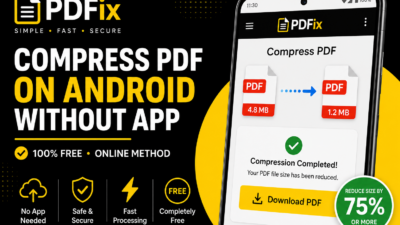
The easiest way to send large PDF files easily is to reduce file size first. Compression removes unnecessary data and optimizes images without noticeably reducing quality.
If your PDF is 50MB, compression can often reduce it to under 10MB, making it easier to email or upload.
2 — Split the PDF into Smaller Parts
If the document is extremely large, divide it into smaller sections. For example:
- Pages 1–50 → Part 1
- Pages 51–100 → Part 2
This works especially well for reports and scanned documents.
3 — Use Cloud Storage Links
Instead of attaching a large file, upload it to cloud storage and share the link.
Popular options include:
- Google Drive
- OneDrive
- Dropbox
This avoids email attachment limits completely.
4 — Optimize Images Before PDF Creation
Large images are often the biggest reason PDFs become oversized.
To send large PDF files easily, resize or compress images before converting them into PDF.
5 — Merge and Then Compress
If multiple PDFs need to be shared together, merge them first and compress the final document.
This often creates a cleaner and smaller result.
6 — Remove Unnecessary Pages
Many PDFs contain blank pages, duplicate scans, or irrelevant sections.
Removing them reduces file size immediately.
7 — Re-export the PDF
Sometimes opening the file in a PDF editor and exporting again with optimized settings significantly reduces size.
Best File Size for Sending PDFs
| Platform | Recommended Size | Best Practice |
|---|---|---|
| Gmail | Under 25MB | Compress first |
| Outlook | Under 20MB | Optimize images |
| Under 100MB | Use smaller PDFs | |
| Web Upload Forms | Under 5–10MB | Strong compression |
How Compression Helps Send Large PDF Files Easily
Compression helps by:
- Reducing image resolution
- Removing unused metadata
- Optimizing document structure
- Keeping text readable
This makes sharing faster while maintaining quality.
Common Mistakes to Avoid
- Trying to email huge files directly
- Compressing too aggressively
- Ignoring upload size limits
- Sending scanned PDFs without optimization
Tips to Send Large PDF Files Easily
- Compress files before sharing
- Use cloud storage links for very large files
- Keep PDFs under platform limits
- Optimize images before creating PDF
- Preview final quality before sending
Is It Safe to Compress PDF Online
Yes, when using trusted tools:
- Files are automatically deleted
- No permanent storage
- Secure processing systems
This keeps your documents private and secure.
Understanding PDF Format
The PDF format is designed to preserve layout and formatting across all devices.
According to Google Drive guidelines, smaller files improve upload speed and sharing reliability.
Frequently Asked Questions
How can I send large PDF files easily?
Compress the PDF or use cloud storage links.
What is the best PDF size for email?
Under 25MB for Gmail and under 20MB for Outlook.
Will compression reduce quality?
Only slightly if using balanced settings.
Can I do this on mobile?
Yes, browser-based PDF tools work on Android and iPhone.