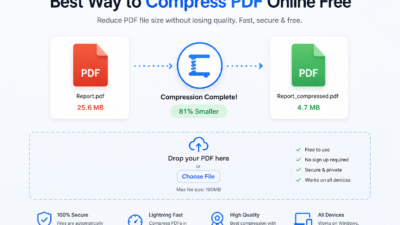
Reduce PDF for Gmail is essential when your file is too large to send as an email attachment. Gmail allows a maximum file size of 25MB, and if your PDF exceeds this limit, it won’t attach directly. Instead, Gmail may convert the file into a Google Drive link.
To avoid this, you can reduce PDF size for Gmail by compressing the file without losing readability. This guide explains how to make your PDF smaller for email quickly.
Gmail Attachment Size Limits
According to Gmail attachment limits, files larger than 25MB cannot be sent directly.
| Feature | Limit |
|---|---|
| Maximum attachment size | 25 MB |
| Recommended size | Under 10 MB |
| Large files | Shared via Google Drive |
To ensure smooth delivery, it’s best to compress PDF for Gmail before sending.
Why PDF Files Become Too Large
- High-resolution images (scanned documents)
- Multiple pages in large documents
- Embedded fonts and metadata
- Graphics-heavy files from design tools
Understanding these factors helps you reduce PDF size for email more effectively.
How to Reduce PDF for Gmail (Step-by-Step)
Step 1 — Upload Your PDF
Open the compression tool and upload your file.
Step 2 — Choose Compression Level
- Balanced (150 DPI) — best quality and size balance
- Small (72 DPI) — maximum size reduction
Step 3 — Compress the File
Click compress and wait a few seconds while the file is processed.
Step 4 — Download and Send
Download the smaller PDF and attach it to Gmail.
Best Practices for Gmail-Friendly PDFs
- Compress files before attaching
- Remove unnecessary pages
- Reduce image resolution
- Use grayscale instead of full color
- Combine files before compressing
These steps make it easier to shrink PDF for email successfully.
Recommended PDF Sizes for Email
| Use Case | Recommended Size |
|---|---|
| Email attachments | 5–10 MB |
| Job applications | 1–5 MB |
| Quick sharing | Under 2 MB |
Smaller files improve delivery speed and avoid errors.
What If Your PDF Is Still Too Large?
- Split the PDF into smaller parts
- Apply stronger compression settings
- Remove large images
These methods help further reduce PDF size for Gmail.
How PDF Compression Works
PDF compression reduces file size by lowering image resolution, removing unnecessary metadata, and optimizing structure. Learn more about
PDF file structure
.
Common Mistakes to Avoid
- Sending large PDFs without compression
- Using very high-resolution scans
- Ignoring file size before sending
Reduce PDF Size on Mobile
You can also compress PDFs using your mobile device:
- Open your browser
- Upload the file
- Compress and download
- Attach to Gmail
This works on both Android and iPhone.
Frequently Asked Questions
How can I reduce PDF for Gmail?
Use a PDF compression tool and choose the appropriate setting.
Will compression affect quality?
Minimal quality loss for most documents.
Is it safe?
Yes, files are automatically deleted after processing.
Is it free?
Yes, completely free without signup.